
Tips for Creating a Cozy and Functional Home Workspace
hetupey.pro >> society>> Tips for Creating a Cozy and Functional Home Workspace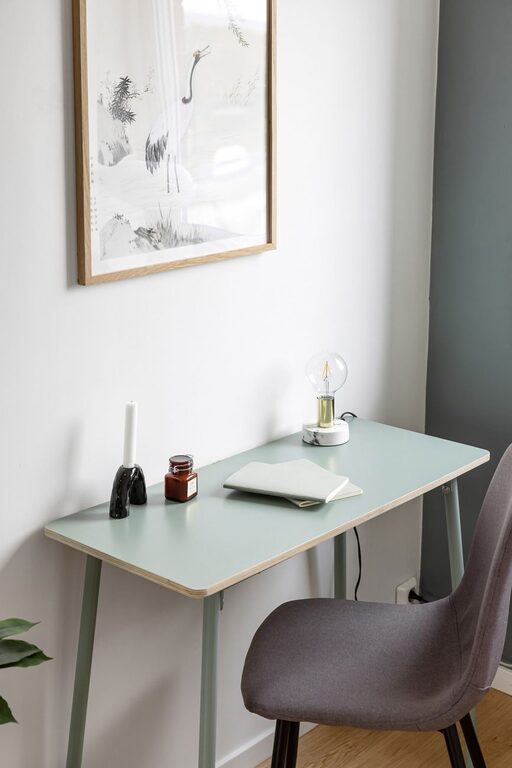
Tips for Creating a Cozy and Functional Home Workspace
Creating a cozy and functional home workspace is essential whether you work remotely, study, or manage household tasks. A well-designed area can boost your productivity, reduce stress, and make working from home more enjoyable. Here are some practical tips to help you set up a home workspace that feels inviting and supports your daily tasks.
Choose the Right Location
Finding the ideal spot for your workspace is the first step. Consider the following:
– Natural light: Aim for a space near a window to benefit from sunlight. Natural light improves mood and alertness.
– Quiet environment: Select an area with minimal distractions and noise.
– Separation from living areas: If possible, use a room or corner that is separate from high-traffic zones to maintain focus.
Invest in Comfortable Furniture
Comfort is key to maintaining good posture and preventing fatigue. Pay attention to:
– Ergonomic chair: Choose a chair that offers good back support, adjustable height, and comfortable seating.
– Desk size: Pick a desk that fits your equipment and provides enough space for writing or other tasks.
– Adjustability: Consider a stand-up desk or one with adjustable height to alternate between sitting and standing.
Organize Efficiently
Clutter can distract and reduce efficiency. Good organization tips include:
– Storage solutions: Use shelves, drawers, or filing cabinets to keep documents and supplies tidy.
– Desk organizers: Utilize trays, pen holders, and small containers to keep everyday items within reach.
– Cable management: Use clips or sleeves to prevent tangled cords and keep the area neat.
Personalize Your Space
Personal touches can make your workspace feel welcoming and motivating:
– Decorate with plants: Indoor plants add freshness and improve air quality.
– Inspiration boards: Pin up photos, quotes, or artwork that inspire you.
– Lighting: Use a desk lamp with adjustable brightness to reduce eye strain during evening work.
Minimize Distractions
Keeping distractions at bay helps maintain focus:
– Limit noise: Use noise-cancelling headphones or white noise machines if your environment is noisy.
– Tech control: Turn off non-essential notifications during work hours.
– Clean daily: Spend a few minutes tidying your workspace at the end of each day.
Enhance Functionality with Technology
The right tech tools make working easier:
– Reliable internet: Ensure your connection is stable for online meetings and uploads.
– Multiple monitors: If possible, add an extra screen to improve multitasking.
– Charging stations: Keep devices charged and ready with designated power strips or docks.
Maintain Good Air Quality and Temperature
Comfort includes a clean and pleasant atmosphere:
– Ventilation: Open windows regularly or use an air purifier.
– Temperature control: Use fans, heaters, or air conditioners to maintain an ideal room temperature.
– Humidity: Consider a humidifier if the air feels too dry.
Create a Routine and Boundaries
Finally, establishing habits supports a productive workspace:
– Set work hours: Define clear start and end times to separate work and personal life.
– Take breaks: Step away from your desk periodically to stretch or relax.
– End-of-day rituals: Clean up and turn off work equipment to signal the end of the day.
—
By combining comfort with functionality, your home workspace can become a place where you enjoy spending time and accomplish your tasks efficiently. With thoughtful planning and organization, you’ll create an environment that supports both your wellbeing and your productivity.
Related Post
How to Create a Cozy and Inviting Reading Nook at Home
Creating a cozy and inviting reading nook at home is a wonderful way to carve…